Turn your piano playing into falling notes and sheet music.
Drop in a video or recording of your playing. songfall does the rest.
- Coming soon toApp Store
- Coming soon toGoogle Play
Arabesque No. 1Debussy
How it works
- 01Drop in a fileA video or recording of your playing, from your phone or computer.
- 02 listensThe notes, both hands, the chords and the key.
- 03Play it or print itLearn it with falling notes, play along, or print the score.
Learn it
Watch the notes fall onto the keys, as slowly as you like.
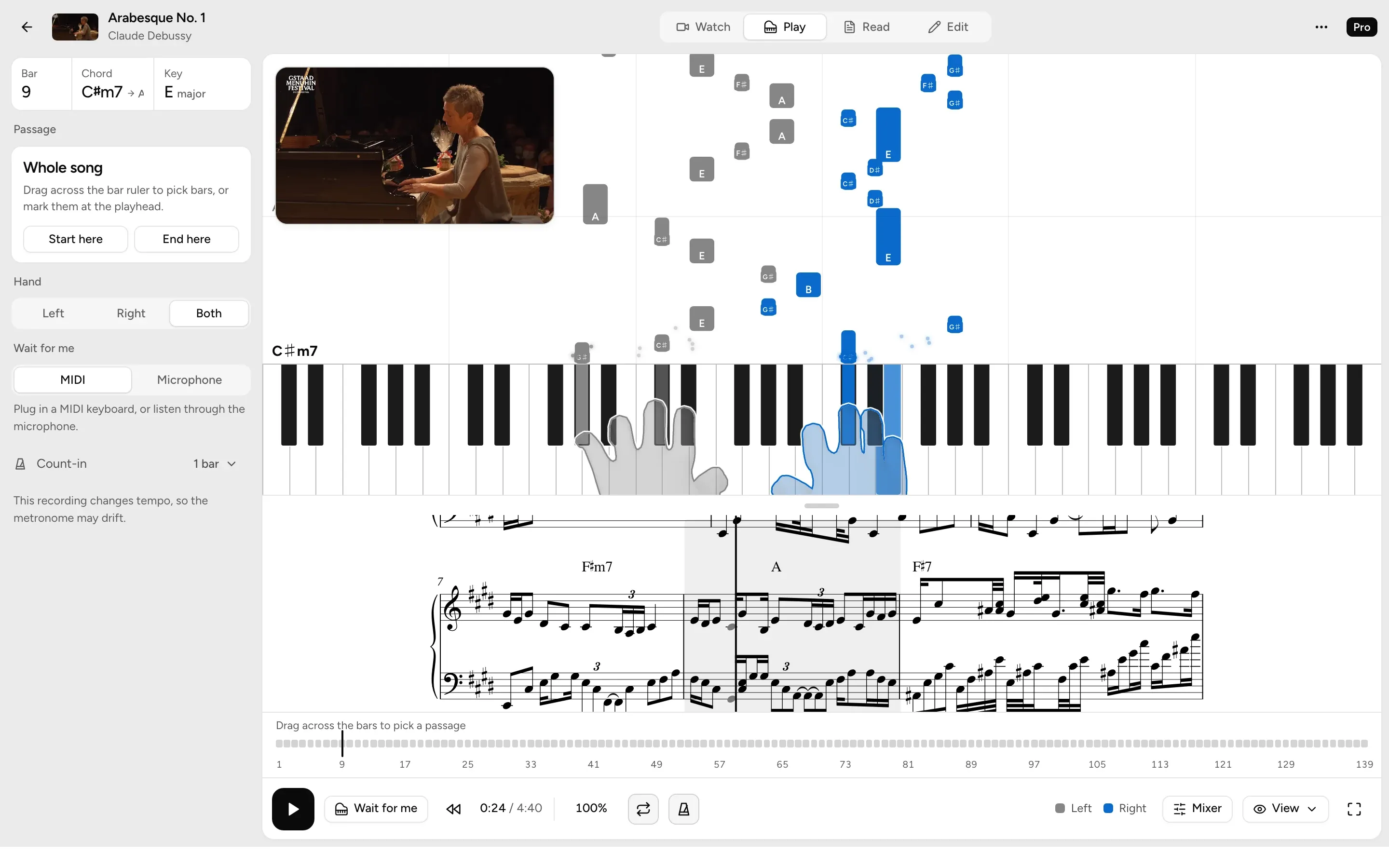
- Watch, Play and ReadSwitch between the video, the falling notes and the sheet.
- Slow it downFrom 50% to 120% speed, with the pitch kept.
- Loop a passageDrag across the bars to repeat them.
- Hands from the videoProWatches the pianist’s hands to tell left from right.
Practise it
One hand, then the other, then both, at a speed you can manage.
- One hand at a timeLeft, right, then both.
- Wait for meThe notes wait until you play them, on a MIDI keyboard or through the microphone.
- Speed trainerStarts at 60% and speeds up 5% with each clean pass.
Read it
Sheet music engraved from what songfall heard.
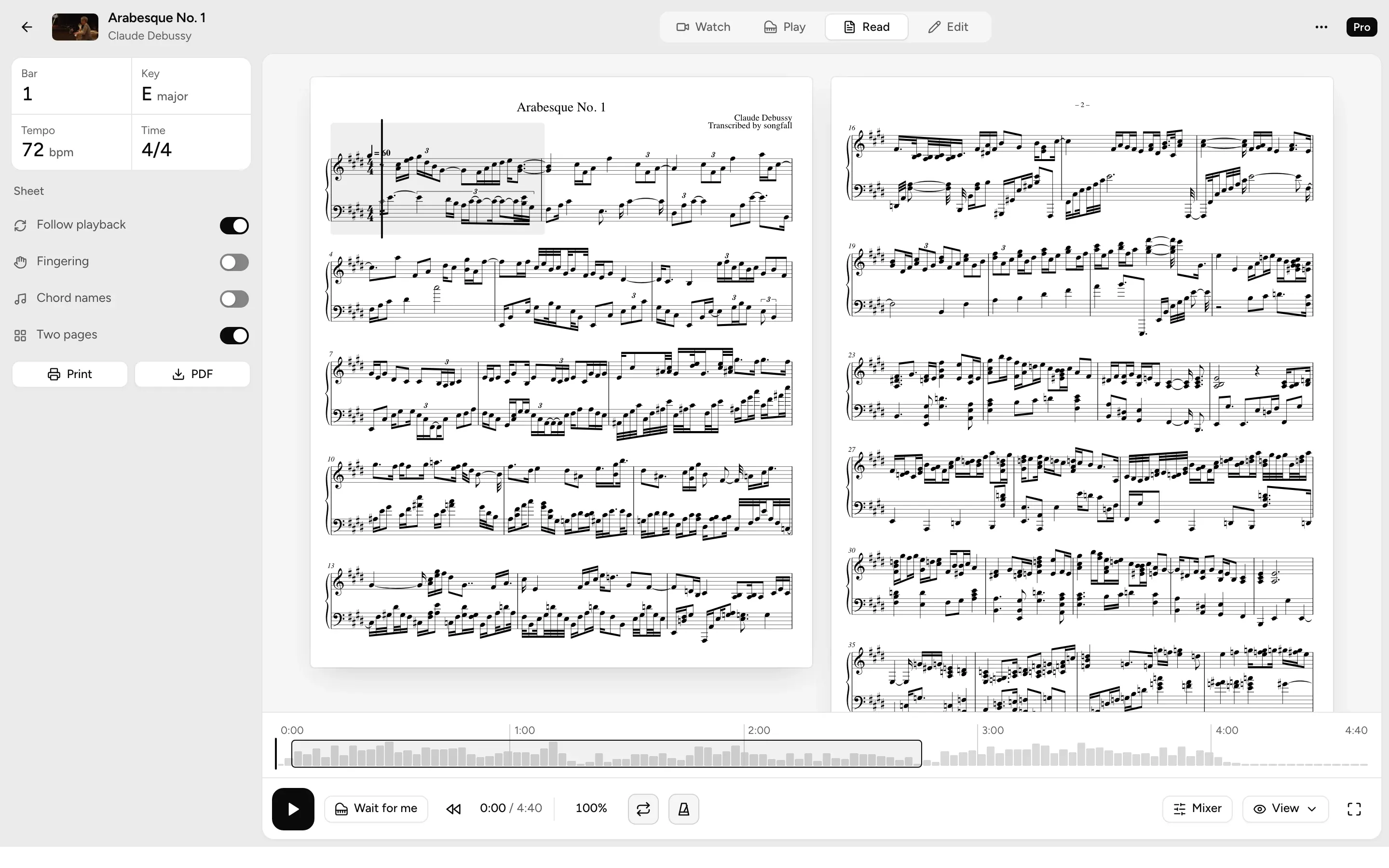
- Sheet musicBoth hands on a grand staff, with fingering and chord names when you want them.
- Print itPrint the sheet on any plan.
- PDF, MIDI and MusicXMLProTake it into your own notation app, in any key.
Fix it
Correct what songfall got wrong, and the sheet rebuilds itself.
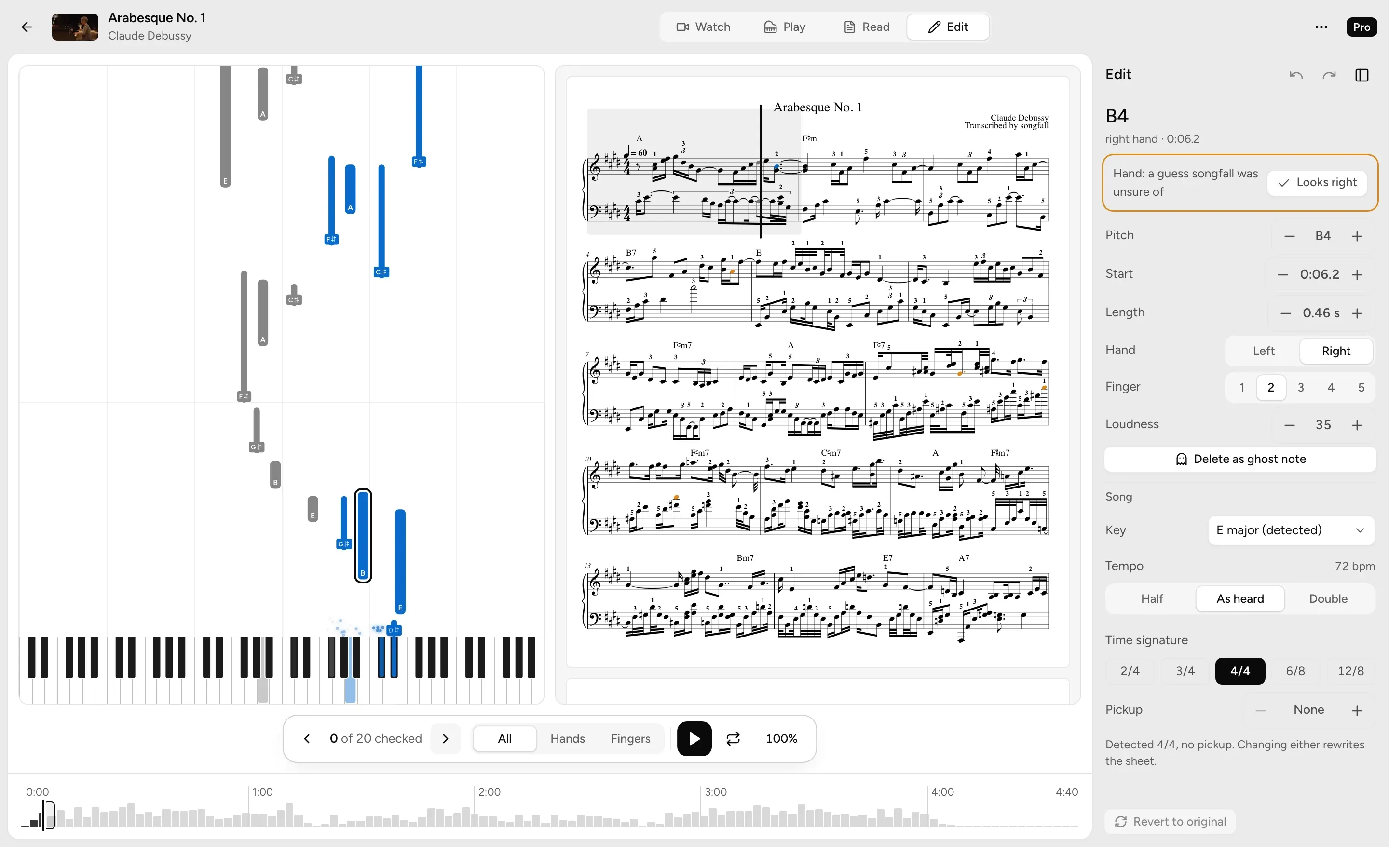
- Change any notePitch, timing, length, hand or finger, on the falling notes or the sheet.
- Check the doubtful notesStep through the 20 notes songfall was least sure of.
- Saves as you goUndo any edit, or go back to the original.
Share itPro
Turn a passage of your own playing into a video for Reels, TikTok or Shorts.
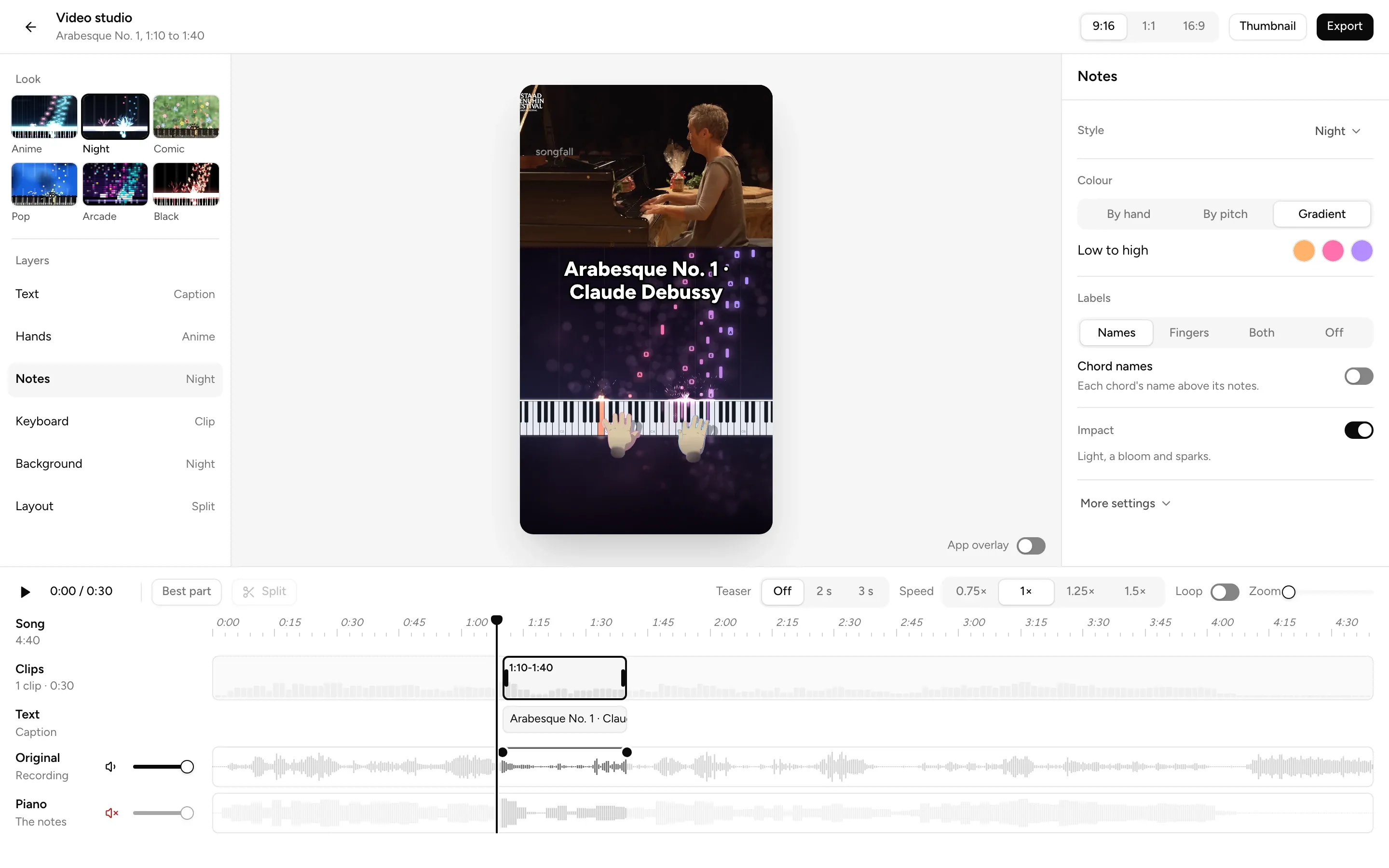
- Three shapesVertical 9:16, square, or wide 16:9.
- Your lookPick a look, the hands, note names and your own text.
- 60 fps, no watermarkRendered on your device, with the watermark off if you like.
Plans
Start free, and upgrade when you need more.
| Feature | Free | Pro |
|---|---|---|
| Transcription minutes a month | 10 | 120 |
| Longest song | 5 min | 20 min |
| Falling notes, sheet music and practice | ||
| Piano separated from band recordings | ||
| Edit mode | ||
| Hands from the video | - | |
| Exports | Print, PDF, MIDI, MusicXML | |
| Video studio | - |
Short a few minutes? Top-up packs work on either plan.
Questions
What can I convert?
Audio or video files of solo piano, or a band recording with piano. You need the rights to what you upload: your own playing, a public-domain piece in your own recording, or music you have permission to use.
How accurate is it?
Best on a clear solo piano recording. A noisy room, a band or a singer makes it harder.
When can I use it?
Soon. Join the waitlist and you'll be among the first in.
Do I need a piano?
No. Watch, listen and read along on any screen.
What happens to my email?
We only use it to tell you when songfall opens. Reply any time to leave the list.